
Pre-Dining Feature
The Pre-Dining Configuration is available for all of our Reservations customers. It allows for more engagement between the initial booking and the reservation date by allowing you to engage with your customers using more personal content like specific menu items, photo galleries, and Instagram feeds.
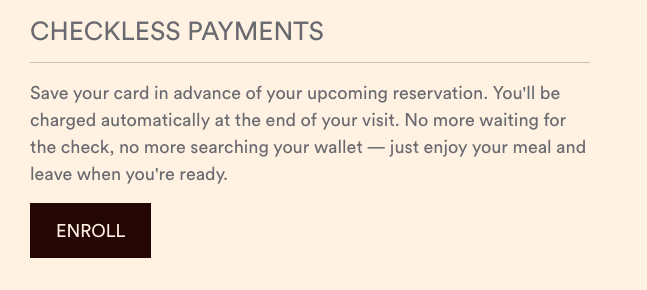
Though many of these components are flexible and allow for customization, some items will remain permanent such as the sections for reservation details and checkless payments (if in use).
If the diner is not enrolled in checkless payments, that section will display a call to action (CTA) button that prompts them to enroll.
Backend
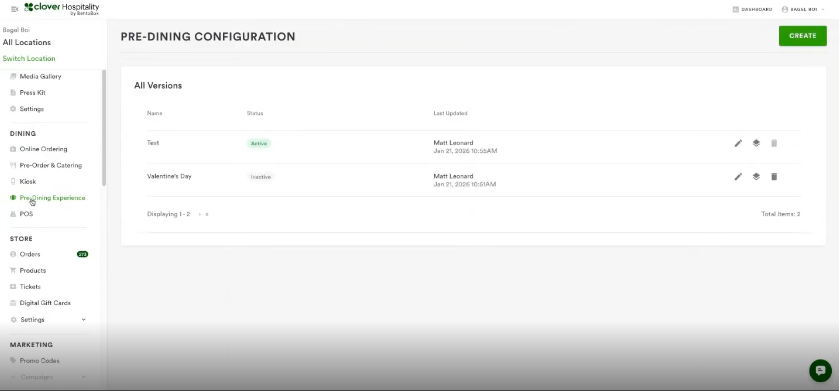
In the backend, the Pre-Dining configuration tab is found under the Dining section. You can add as many versions of these as you like, such as a Valentine's Day version or a New Year’s Eve version.
Note that only one pre-dining experience can be activated at a time. Meaning, if a Valentine’s Day version is activated then you will need to unpublish it in order to have another one go live.
FAQ’s
How many photos can be added to the photo gallery?
The minimum is three and the maximum is eight.
What if a diner is not enrolled in Checkless Payments?
If a diner is not enrolled in checkless payments, that section will display a call to action (CTA) button that prompts them to enroll.
What if I don’t want to use this feature?
The old reservations confirmation screen is replaced by Pre-Dining but you also have the option to keep it simple with just the reservation details.
Limitations
Currently, pre-dining configuration and features are account specific, not location specific.
You can only activate one version at a time. Meaning, if you have a Valentine’s Day version activated then you will need to unpublish it in order to have another go live.