
Sales Categories
Overview
Sales Categories and Subcategories are a helpful way to group your items together for reporting and analysis.
Categories are frequently used to group like items.
ex. Entrees, Beverages
Subcategories are used to further segment and introduce specificity.
ex. Entrees > Pasta, Beverages > Wine
How to Access Sales Categories
Note: Only Admin users have access to Sales Categories.
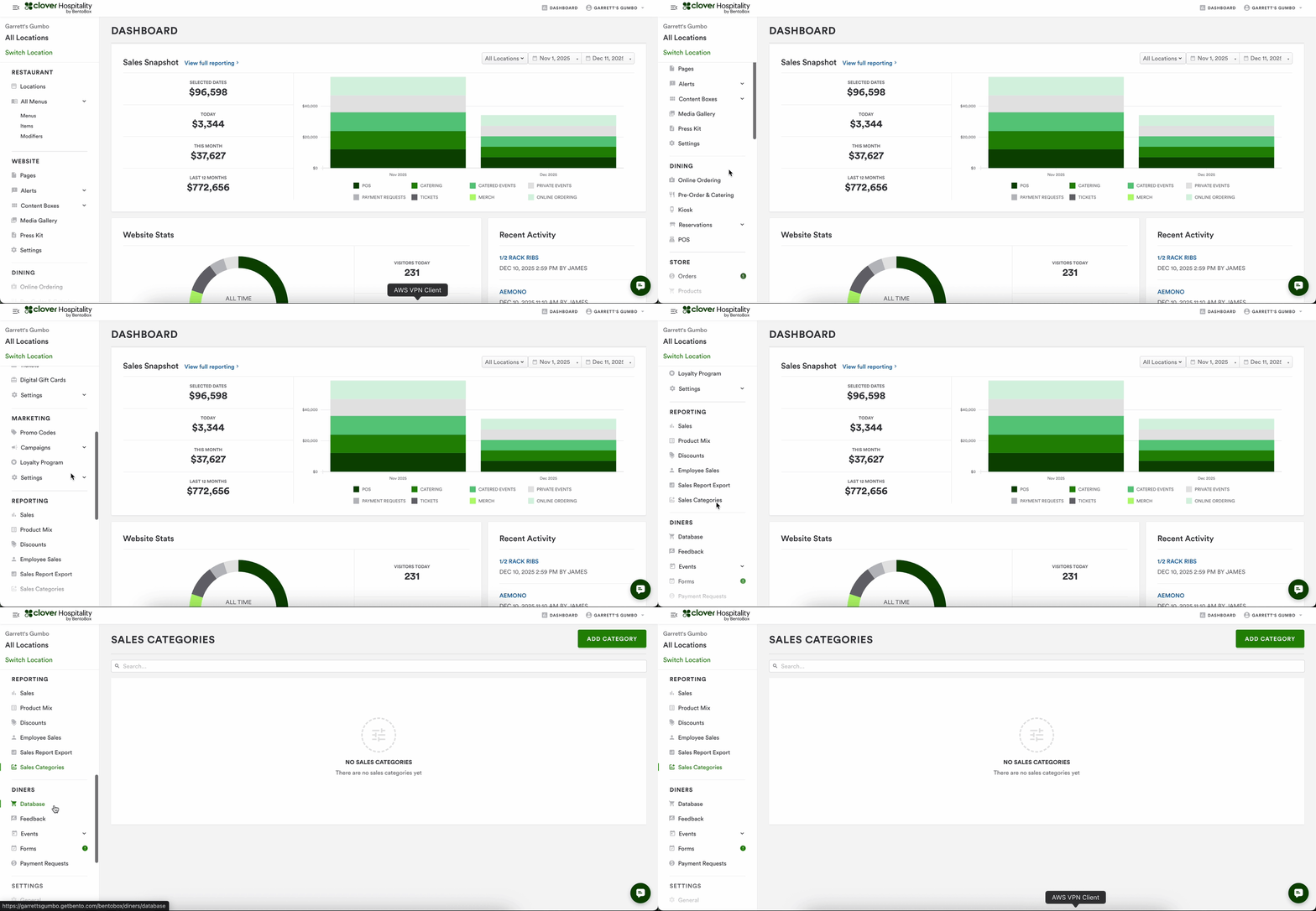
Scroll down to the Reporting section of the navigation
Select Sales Categories
How to create Sales Categories
Once on the Sales Category page, follow the steps below:
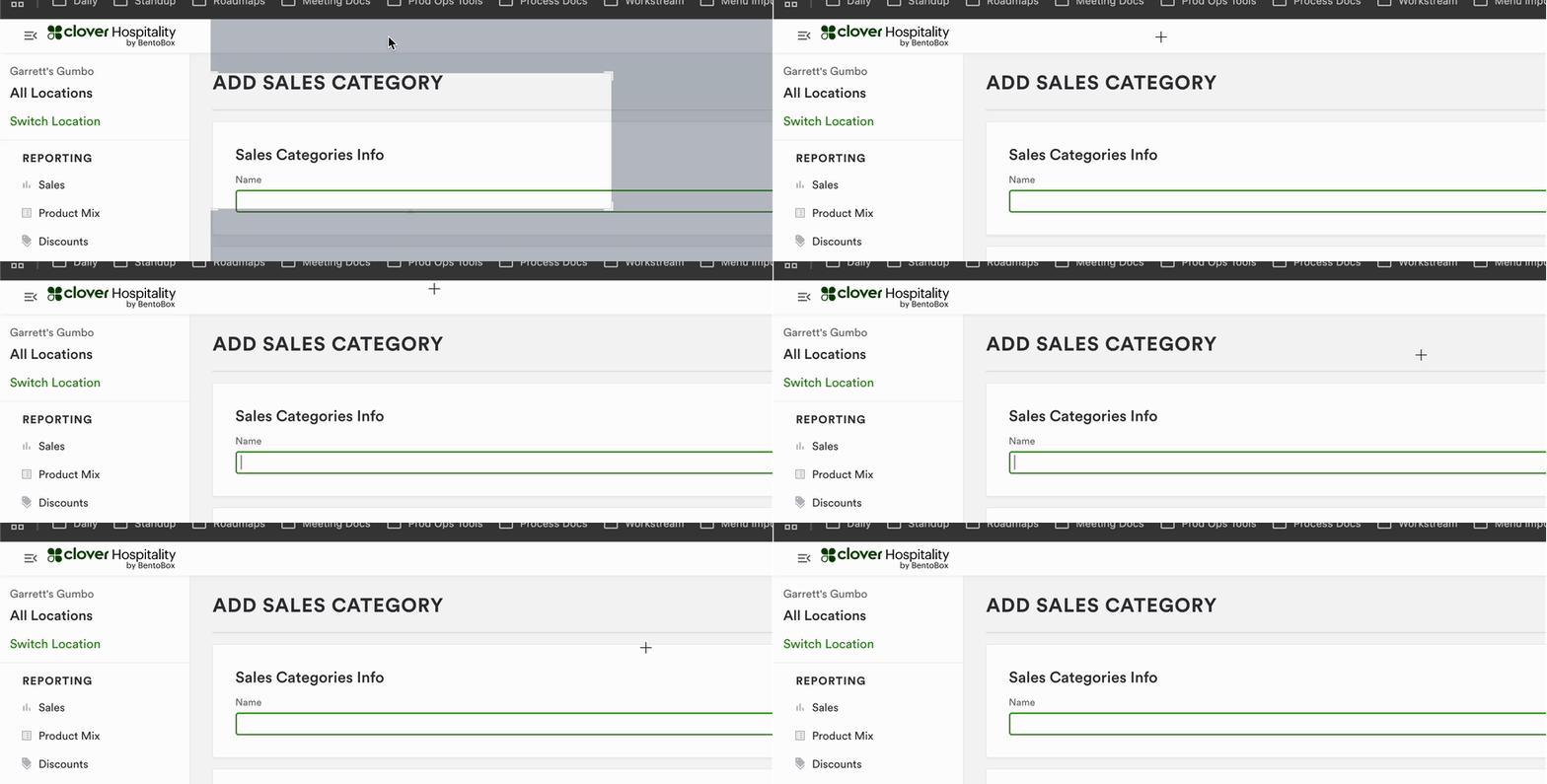
Click on the Add Category button in the upper right corner of the page
Title the Category
Categories must have unique names
Create the subcategories using the Add Subcategory button
In the Subcategory drawer that appears, name the subcategory
Subcategories must have unique names.
Assigning Items to Categories and Subcategories
There are two ways to assign an item to a subcategory.
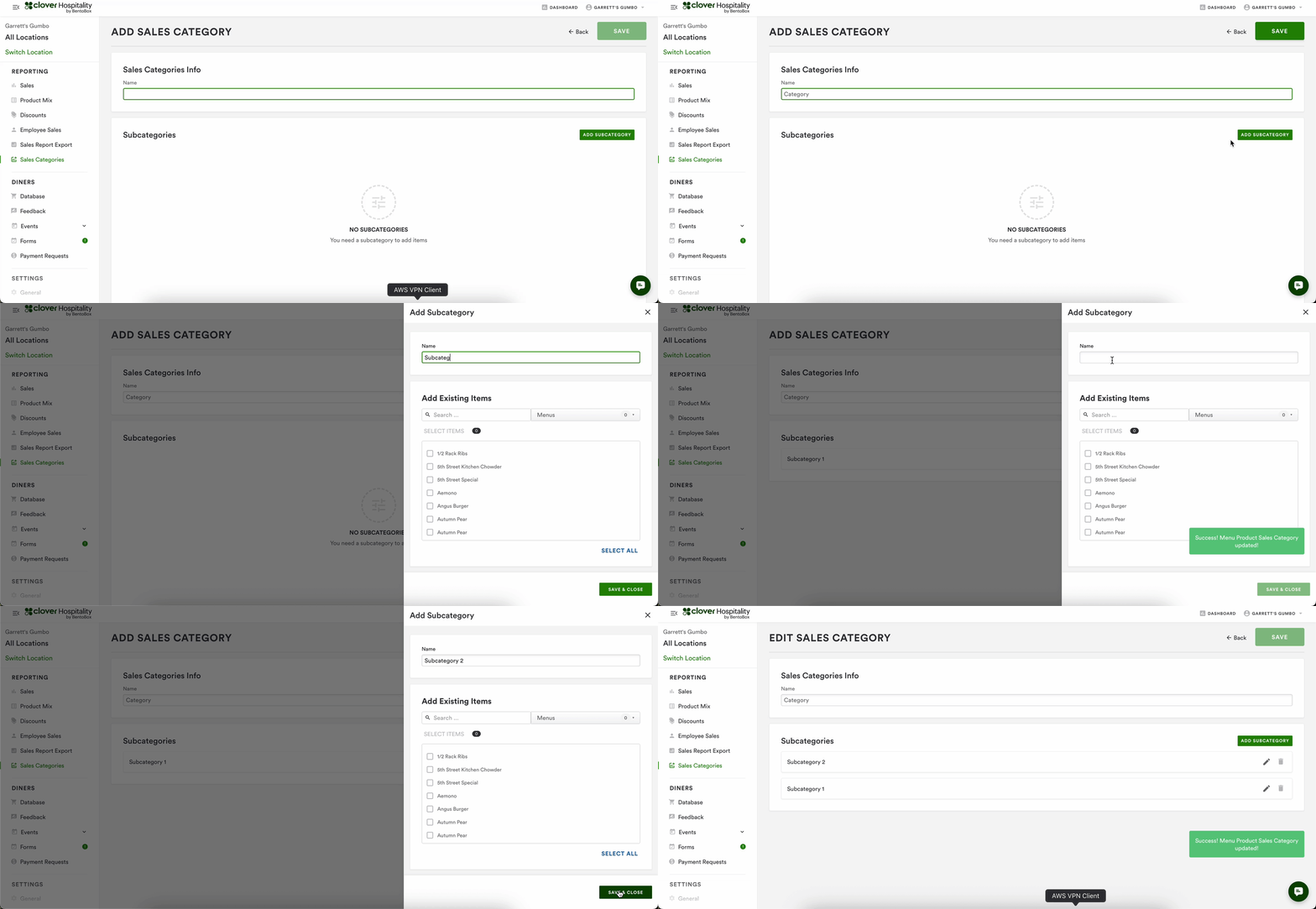
Assign via the subcategory creation, or edit process
You can add items upon creation, in bulk.
If you want to add items later, navigate to the category, click the edit pencil on the subcategory you wish to add items to, and add items via the drawer that appears.
Assign via the item level
Navigate to All Menus > Items in the navigation
Search for the item you want to modify
Click on the item and scroll to the bottom of the page
From there, you can assign that item to a Category and Subcategory
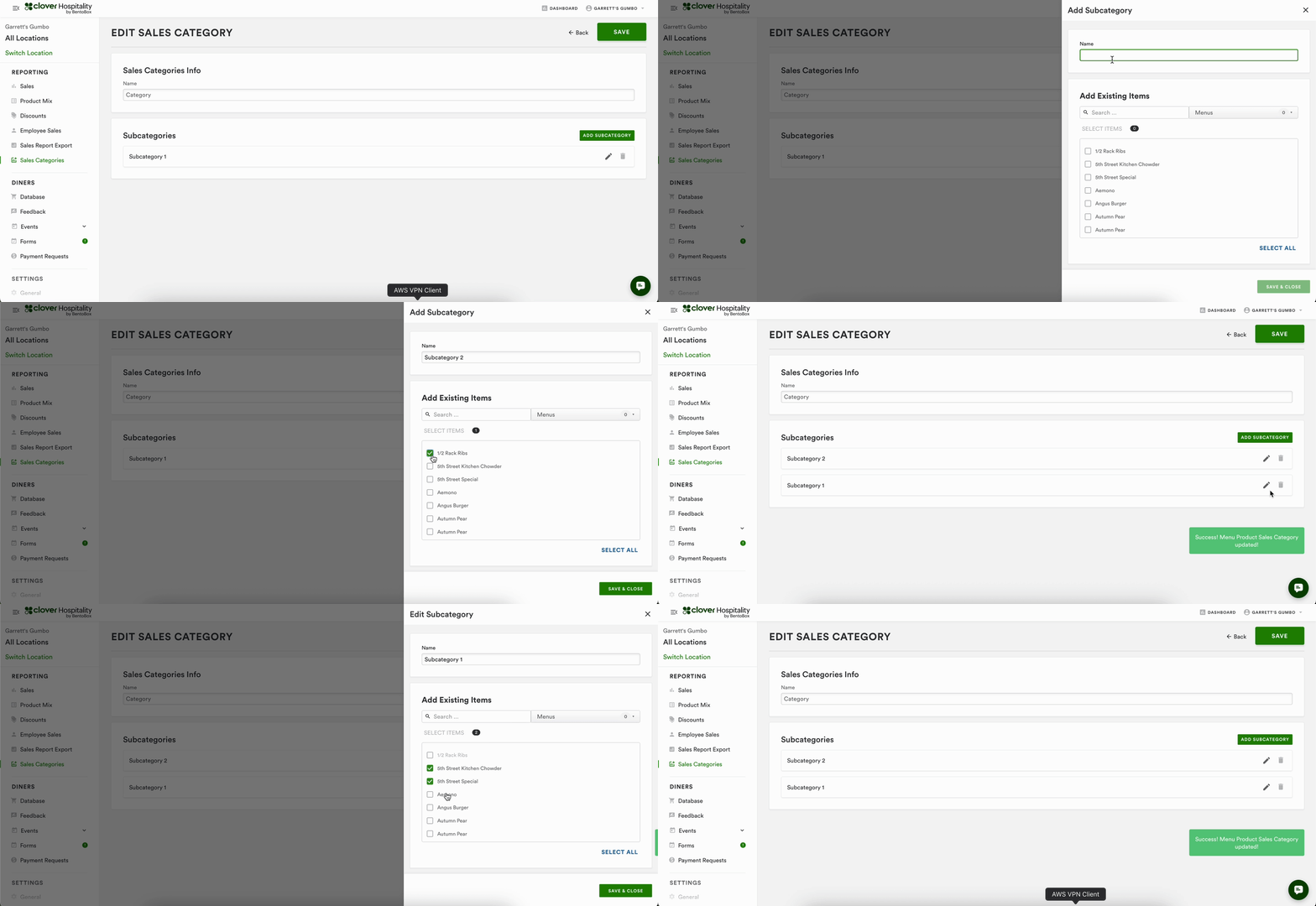
To Remove an item from the subcategory, you can approach this in the same way. Remove the item from the subcategory drawer or remove the subcategory from the item.
FAQ
Q: Can I assign an item to a Category without a Subcategory?
A: No, items have to be assigned to both a category, and a subcategory, due to their structure.
Q: What if I only need one level of categorization?
A: Create a pair of categories and subcategories with the same name.
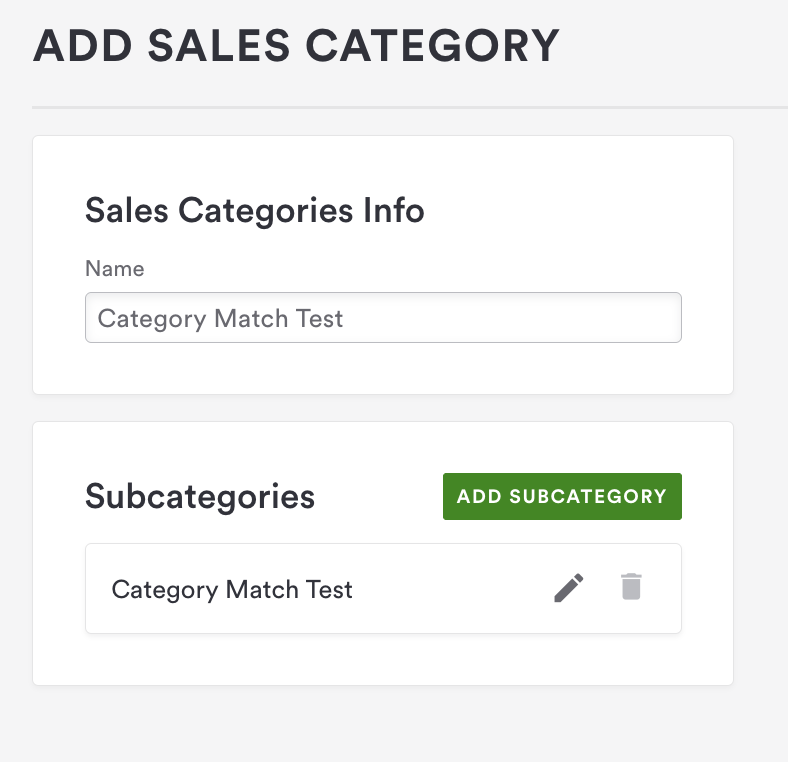
Q: Can I assign an Item to multiple categories or subcategories?
A: No, items can only be assigned to one category and subcategory.
Q: What can I do with this information?
A: The current implementation of this feature is specific to assigning items to Categories and Subcategories. We will be releasing Product Mix and Sales Report by categories, and segmentation on the Closeout receipt by category (for POS customers, only).
Q:What happens to my historical reporting if I edit a category or subcategory?
A: Reporting is run using the current values assigned, even if the date range is in the past. This means you may see different values compared to previously run reporting.