
86 List & Item Availability
Overview
Item Availability is a feature where items can be marked available or unavailable within the POS. This allows staff to see what is available for customers to order in real time. Changes made will sync across all POS devices.
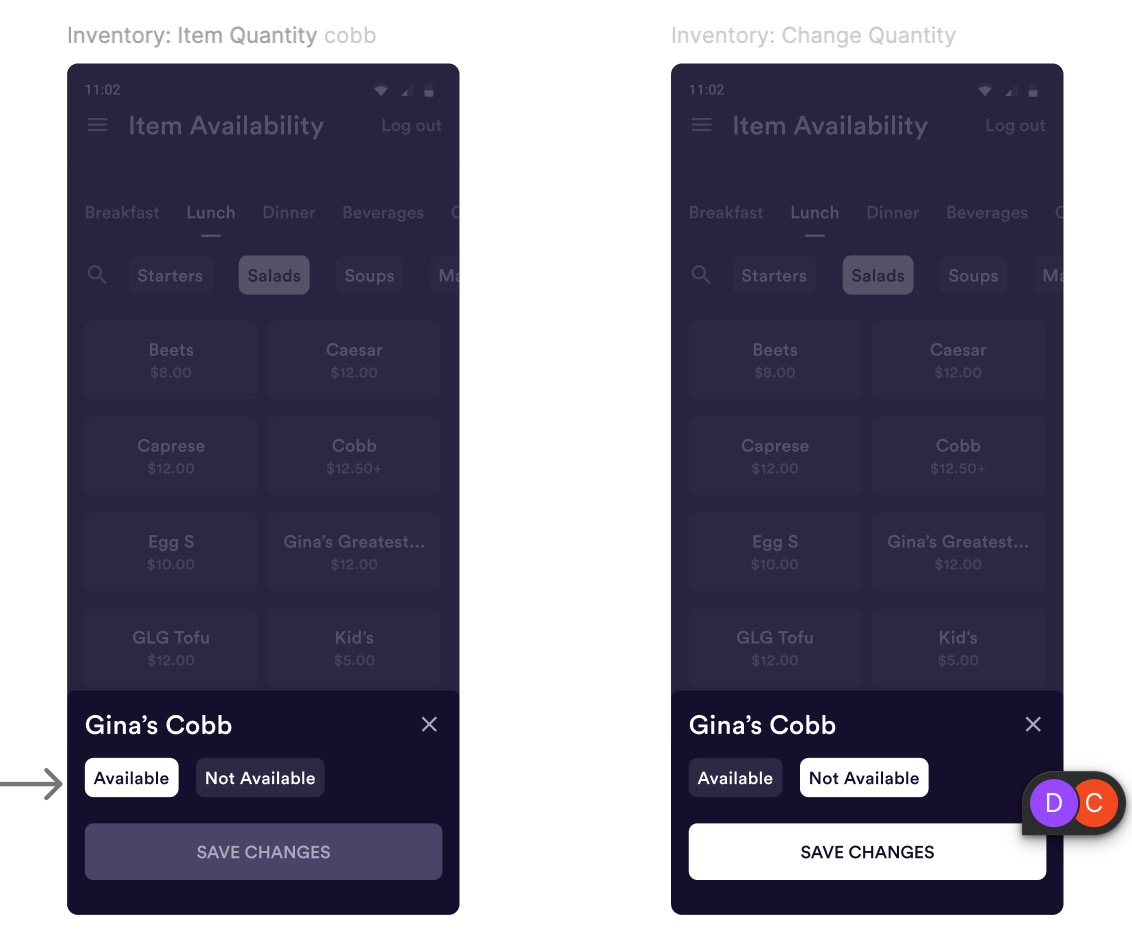
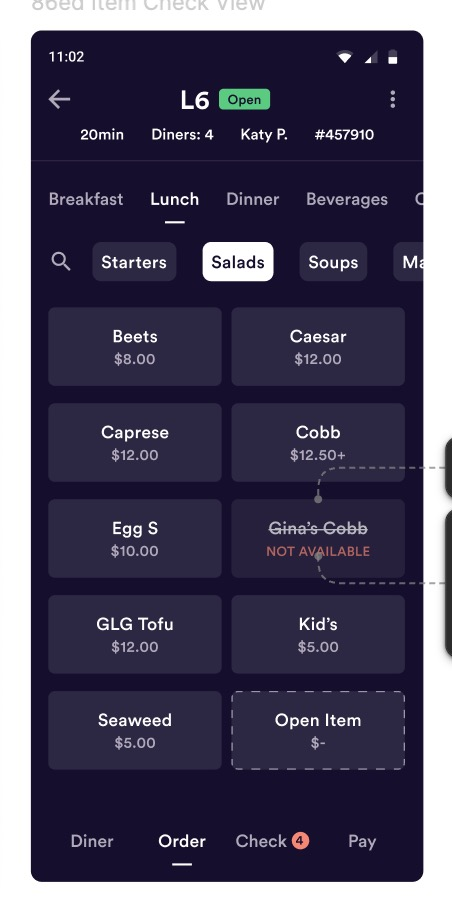
There are two options: Available and Unavailable. Items are Available by default, and items marked Unavailable will not be able to be added to checks by all staff. Unavailable items will still appear in the POS, with a red Not Available message.
Permissions
To be able to update Item Availability, staff will need the Manage Item Availability permission, located in the Clover Hospitality portal in Teams -> Permissions -> Permission Groups.
Users without this permission will only see what items have been marked Unavailable.

Managing Item Availability
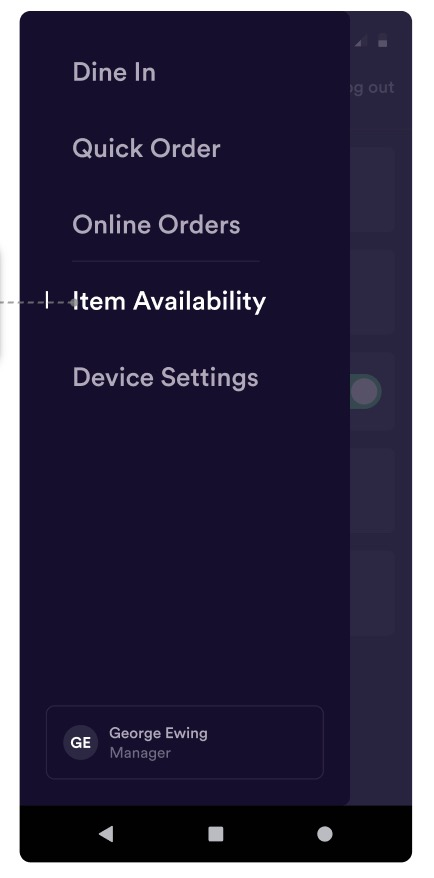
To update item availability, navigate to the Menu and select Item Availability. This is only visible to users with the Manage Item Availability permission.
Find the item in the menu you’d like to change, and Tap it to make your selection.
Once updated, Unavailable items will have a strikethrough and the button will be greyed out.
Important Notes
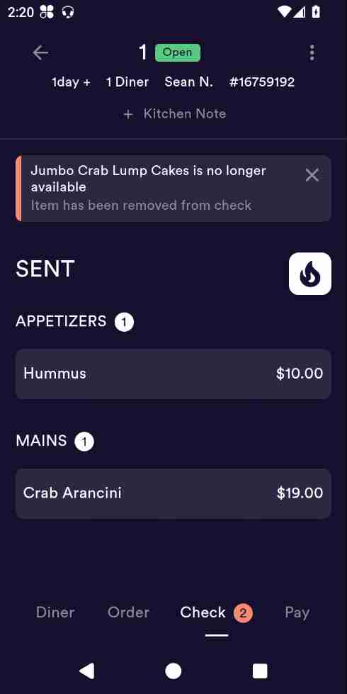
Items that have been added to checks but not Sent will be REMOVED from the order. This notification will appear within the Check screen.
FAQ’s
Q: Can anyone 86 an item?
A: Only users with the Manage Item Availability permission will be able to update. If needed, multiple permission groups can be made.
Q: Will items marked Unavailable return to Available the next day?
A: Items will stay Unavailable until they are manually switched back.
Q: Can availability be changed in the backend?
A: Availability changes are made on the POS only.
Limitations
Currently, items marked Unavailable will only reflect in the POS, not Online Ordering.
Items can only be Available or Unavailable. There is no inventory based countdown at this time.