
Floor Cues
Overview
Floor Cues are visual notifications within the Clover Hospitality POS that indicate when a server should take a table’s initial order. They are triggered when a table has been seated and a check has been opened, but no order activity has occurred within a specified timeframe. Once an item is fired to the kitchen, the cue automatically disappears.
Floor Cues are intended solely for the start of service and are not recurring reminders throughout the duration of a guest’s meal.
Backend Configuration
Floor Cues are managed in the backend under the POS Location settings:
Navigate to Settings → Front of the House.
Select the Floor Cues tab.
Adjust the Cue Timing to determine how long after a table is seated and a check is opened before a Floor Cue appears.
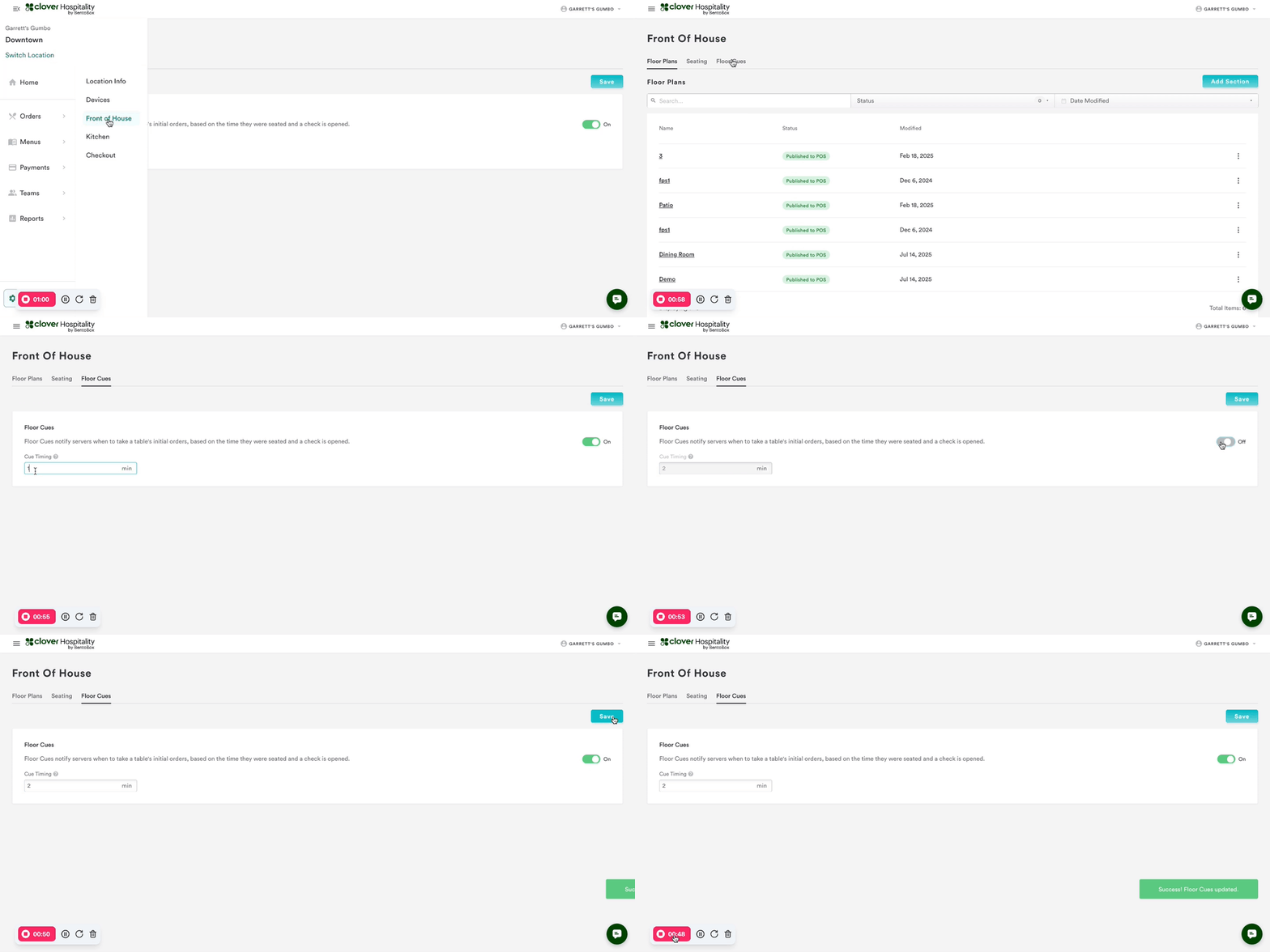
The default cue timing is 1 minute.
Recommended practice is to test at 1-2 minutes to evaluate alignment with the service flow before setting the final timing.
This configuration ensures that cues align with operations’ expectations and support consistent service pacing.
Functionality in the POS
Floor Cues appear on the floor plan as a visual indicator adjacent to the table that has triggered the cue. The cue signals that a table has been seated and a check opened but no order activity has occurred.
The cue prompts the server to take the initial order.
Once an item is fired to the kitchen, the cue disappears automatically.
Cues do not recur later in the meal as they are specific to the initial ordering period.
These cues provide management and staff with a clear, actionable notification to support prompt service and reduce the likelihood of unattended tables.
How It Looks in the POS
Floor Plan View: A small clock icon appears on the table that has triggered the cue.
Table Status: The cue remains visible until the first item is fired to the kitchen.
Clearing the Cue: Once the initial order is started, the icon disappears automatically.
Management Oversight: Managers can use the floor plan view to monitor which tables have pending initial orders and ensure service standards are being met.
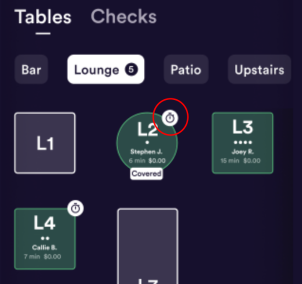
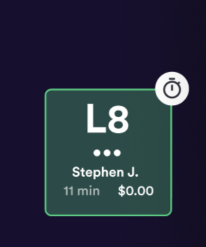
The visual representation ensures both servers and managers can quickly identify tables requiring attention at the start of service.
FAQs
Q: What triggers a Floor Cue?
A: A Floor Cue is triggered when a table is seated, a check is opened, and no order activity occurs within the configured timeframe.
Q: How long does it take for a cue to appear?
A: The default is 1 minute, but it is adjustable in the backend.
Q: Can a Floor Cue appear again later during service?
A: No. Once the first order is fired, the cue disappears and will not reappear for that check.
Q: The cue is not appearing, what should be checked?
A: Confirm that the table is seated and the check is opened. Ensure the POS device is updated and logged in correctly. Verify in the backend that Floor Cues are toggled on. If issues persist, email support@getbento.com.
Limitations
Floor Cues are limited to start of service notifications; they do not track activity after the first order.
A check must be opened for the cue to trigger.
Floor Cues are not performance metrics; they serve as visual prompts for initial order action only.